
Workflow ideas
Why invoice automation fails in production
PDF extraction is only one step. Missing evidence, duplicate uploads and ambiguous amounts cause failures long after the first successful demo.
By Automate HQ · Updated · 3 min read
At a glance
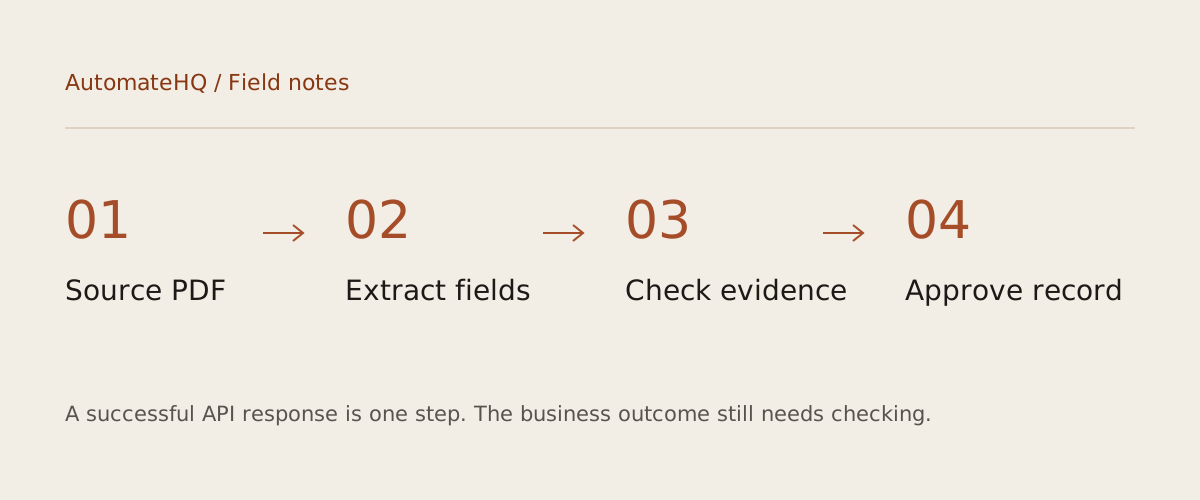
Invoice extraction fails when a plausible set of fields is mistaken for a verified financial record. Keep the source document, validate amounts and duplicate identifiers, and require a person to approve the record before posting it.
- 01Source PDF
- 02Extract fields
- 03Check evidence
- 04Approve record
Not every PDF contains readable text
A PDF can contain text, images of text or a mixture of both. A text extractor may return an empty string from a scan and scrambled reading order from a complex layout. A successful file read does not establish that the model received a faithful invoice.
The free starter accepts text-based PDFs and rejects empty extraction. It also rejects long text instead of silently chopping off a total on the final page. An OCR branch is a separate integration that needs page-count limits, cost controls and review of low-quality scans.
Missing values should remain missing
A dollar sign does not tell you whether an invoice is in Singapore dollars or another currency. A date such as 03/04/2026 is ambiguous without a stated convention. Asking a model to fill every field encourages plausible inventions that are difficult to spot in a spreadsheet.
The starter uses nullable fields and flags missing values for review. It checks calendar dates and a basic subtotal-plus-tax relationship, but those checks do not verify tax treatment or supplier legitimacy. Discounts, withholding, credit notes and rounding need explicit rules agreed with the finance team.
Duplicate intake is a business problem
The same invoice may arrive by email, upload and a second reminder from the supplier. A unique upload ID detects repeated delivery of the same event, but it does not necessarily detect the same document arriving through another channel. A file hash helps with identical files, yet even a re-exported PDF may have a different hash.
Combine technical identifiers with a reviewed supplier identity and invoice number. Do not automatically merge uncertain matches. Keep a duplicate-review queue and record why a person accepted or rejected a match. A sheet append is useful for a pilot, but it should not become the only control before payment.
Keep approval separate from extraction
Show extracted fields alongside the source document and record reviewer changes. Save who approved the record and which workflow version produced it. If an accounting API call times out, reconcile against the destination before creating another entry.
The downloadable workflow ends in a review sheet. That is a useful working result: the team can inspect extraction quality on synthetic and approved test documents. Moving beyond it requires a controlled path into accounting software, an audit trail and a separate payment authorization process.
Try the workflow
Extract fields from a text-based PDF invoice into structured JSON and a review spreadsheet. Nothing is paid or posted automatically.
Download the free Invoice Data Extraction template →