
Integration guides
WhatsApp automation: keep the customer handoff clear
Plan WhatsApp enquiry routing and follow-up around current platform rules and a clear route to a person.
By AutomateHQ · Updated · 2 min read
Before you start
Start with the customer journey: what initiates the conversation, what the automation may do and when a person takes over. Confirm the current WhatsApp Business Platform requirements before choosing a provider.
- 01Define the task
- 02Connect safely
- 03Test exceptions
- 04Assign an owner
Agree who owns the account and replies
A personal chat habit is not a complete specification for a business integration. Clarify account ownership, access to approved business tooling and which team handles replies. Review the current messaging policies and provider setup before building.
Separate incoming enquiry routing from outbound campaigns. They have different triggers and risks. Do not assume that receiving a phone number authorises every future message.
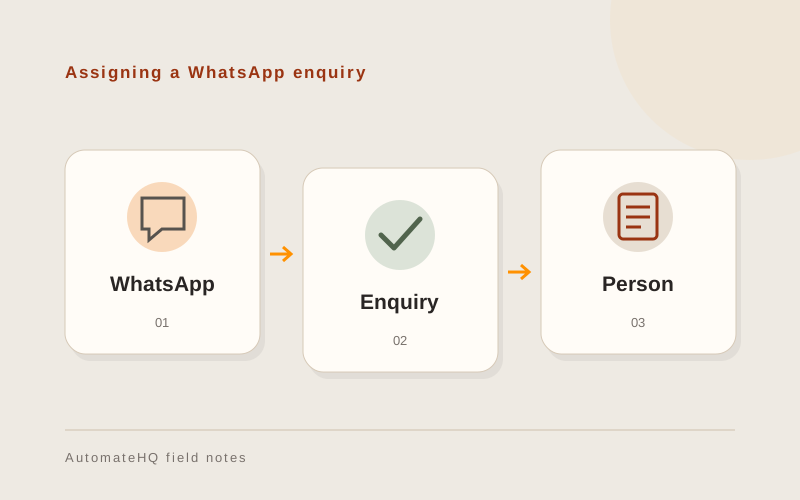
Give each enquiry an owner
An incoming request can become a tracked enquiry with an owner, topic and next action. A person can review an AI-generated summary before relying on it, especially if the message is ambiguous or multilingual.
Keep the handoff visible: tell the team what the customer asked, what has already been said and whether a reply is waiting. Avoid sending a generic reply after a person has already taken over.
Test handovers and late messages
Test duplicate notifications, late replies, missing customer details and handover between team members. Verify that stopping the automation does not hide an open conversation.
Use controlled test recipients and review the current rules for templates, messaging windows and consent with the selected provider before enabling real sends.
Keep the conversation history at handover
The person taking over should see the original request and any response already sent. Record who owns the conversation so two staff members do not reply independently.
Agree how the team finds unanswered messages if the integration stops. A failed connection should create work for an owner rather than leave the customer waiting without anyone knowing.